Deleting your account takes three screens inside the app. You do not need to contact us.
The app concerned
Assimil e-courses, published by Holiwave — 24 rue de Clichy, 75009 Paris, France.
Your account is the same on Android, iOS, Windows, macOS and in a browser: deleting it from any one of them deletes it everywhere. The steps below are identical on all five.
From the app
First sign in to the account you want to delete.
1. Open “My Account”
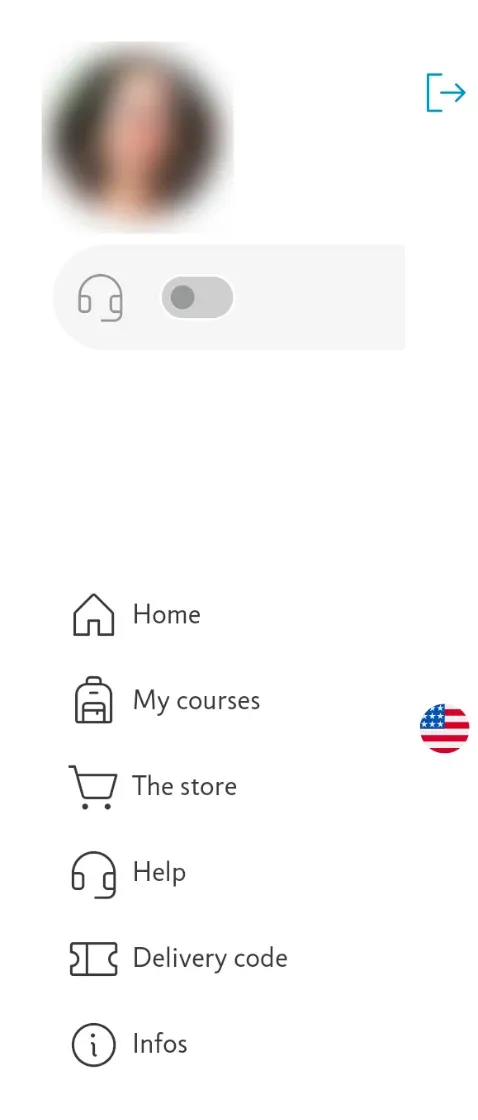
Open the menu, then tap your photo at the top. There is no “My Account” entry in the list: the photo is the way in.
2. Scroll down to “Danger zone”
It sits at the very bottom of the page, after your purchases.

3. Confirm
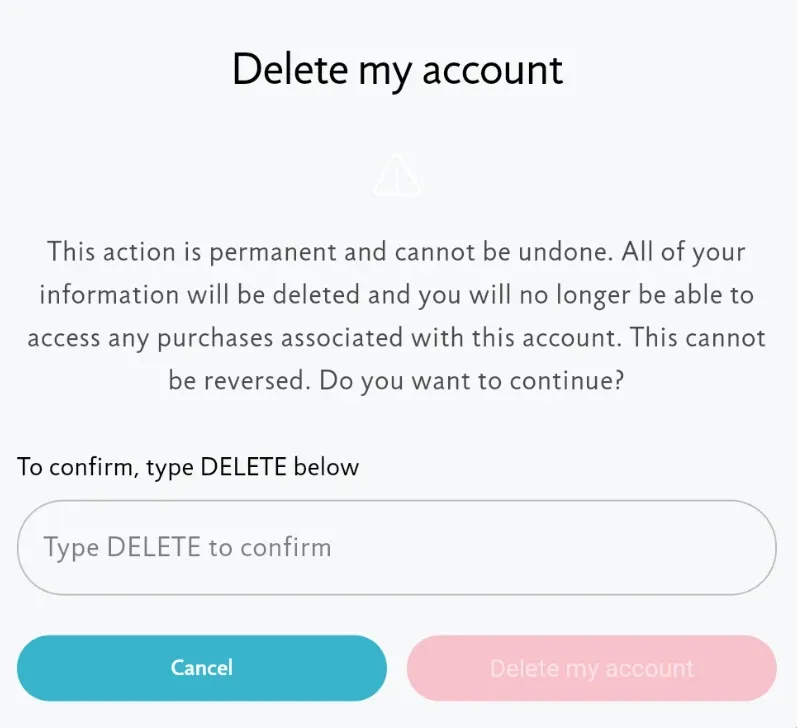
Type DELETE in the text field: the button stays inert until the word is there. It takes effect at once, with no way back.
Without access to the app
Lost device, forgotten password, an address you no longer have: write to customer support and give the email address of the account. The request is handled by hand.
What deletion takes with it
Your account, your sign-in credentials and your personal data are deleted. You lose access to the purchases attached to it: they cannot be moved to another account, nor restored afterwards.
A confirmation email is sent to the account address.