Version 5.6.3 · October 2026
This version makes offline use easier, lets you listen to revision dialogues and improves Auto Listen.
Download your courses and use them offline
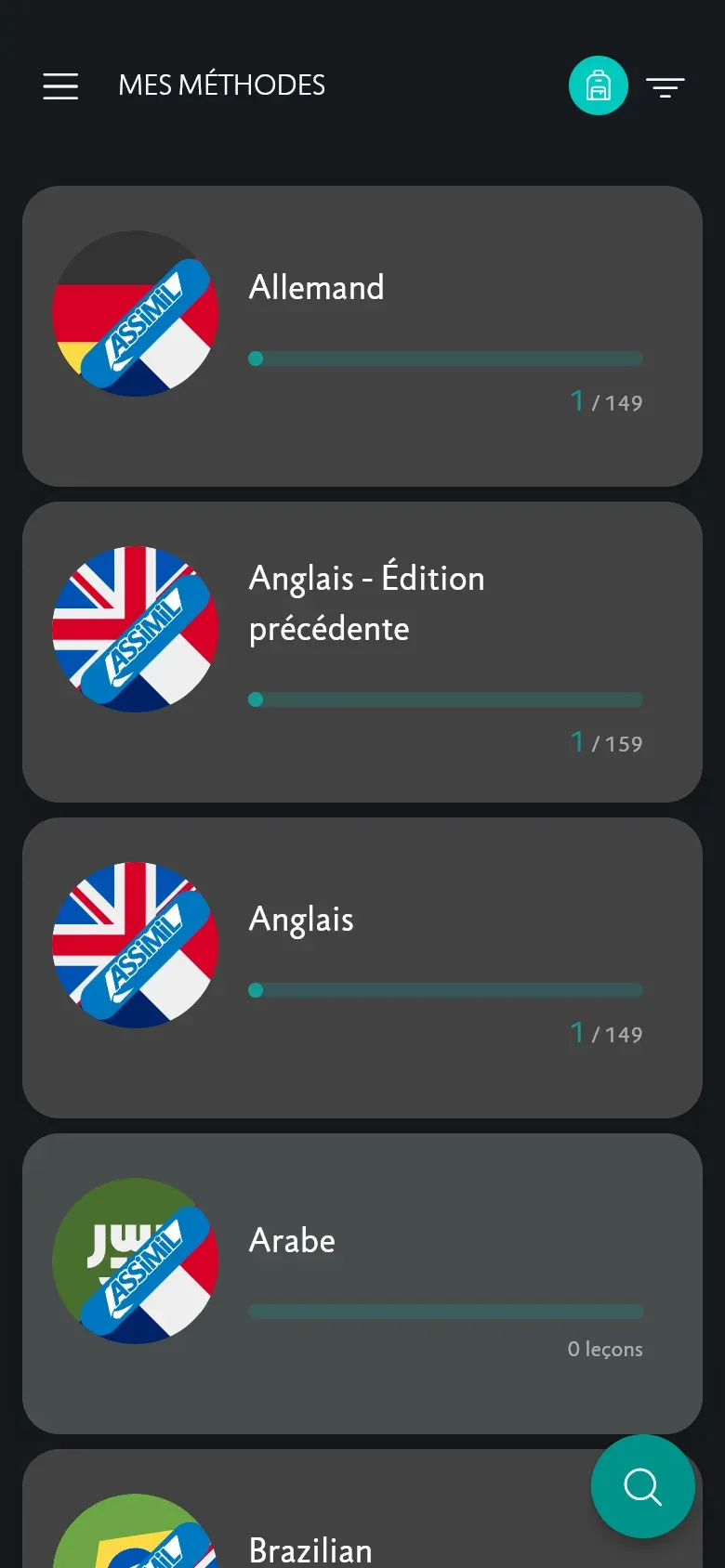
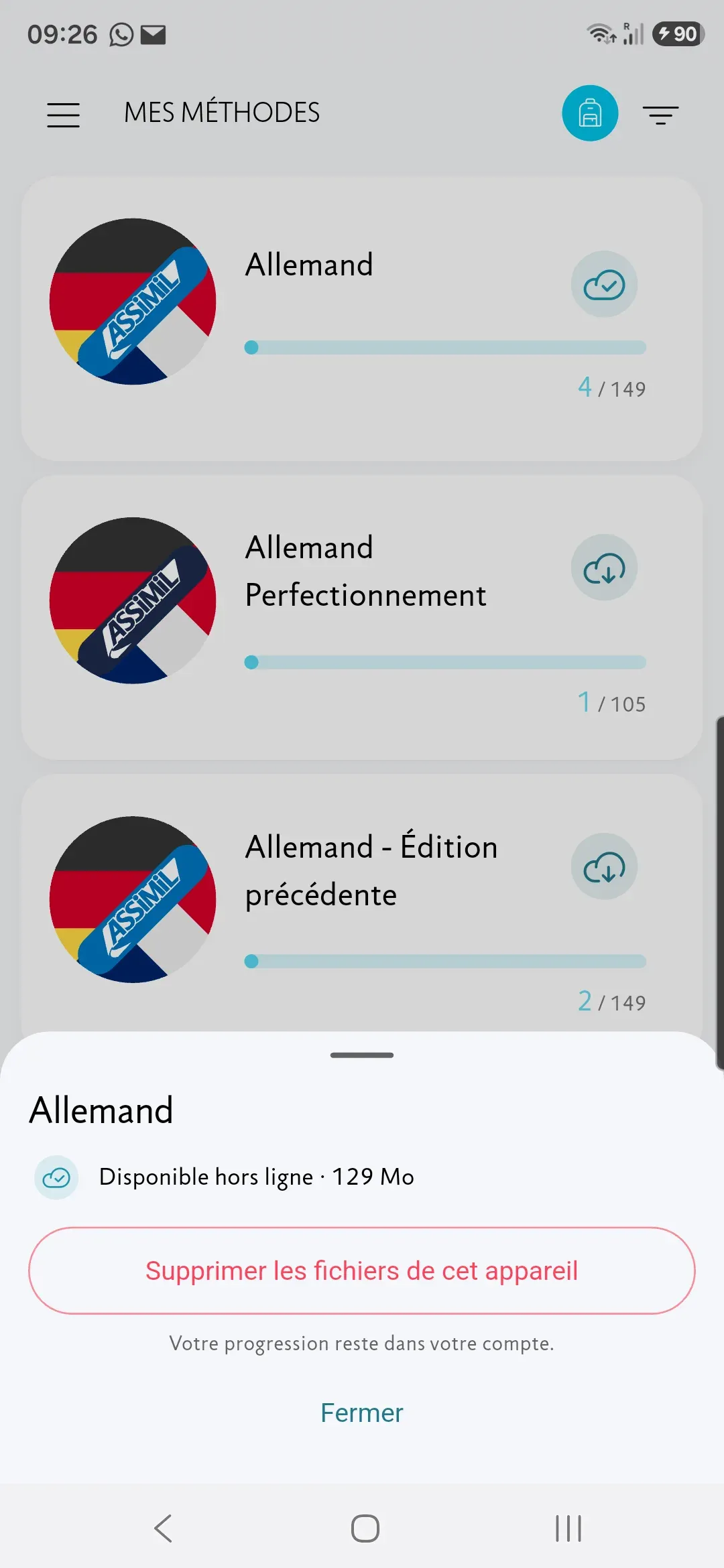
You can now see which courses are available offline. Tap the icon to download them and follow the download progress.
You can also see how much space they take up, cancel a download or delete the files. If a download is interrupted, it resumes automatically as soon as possible.
Listen to revision dialogues
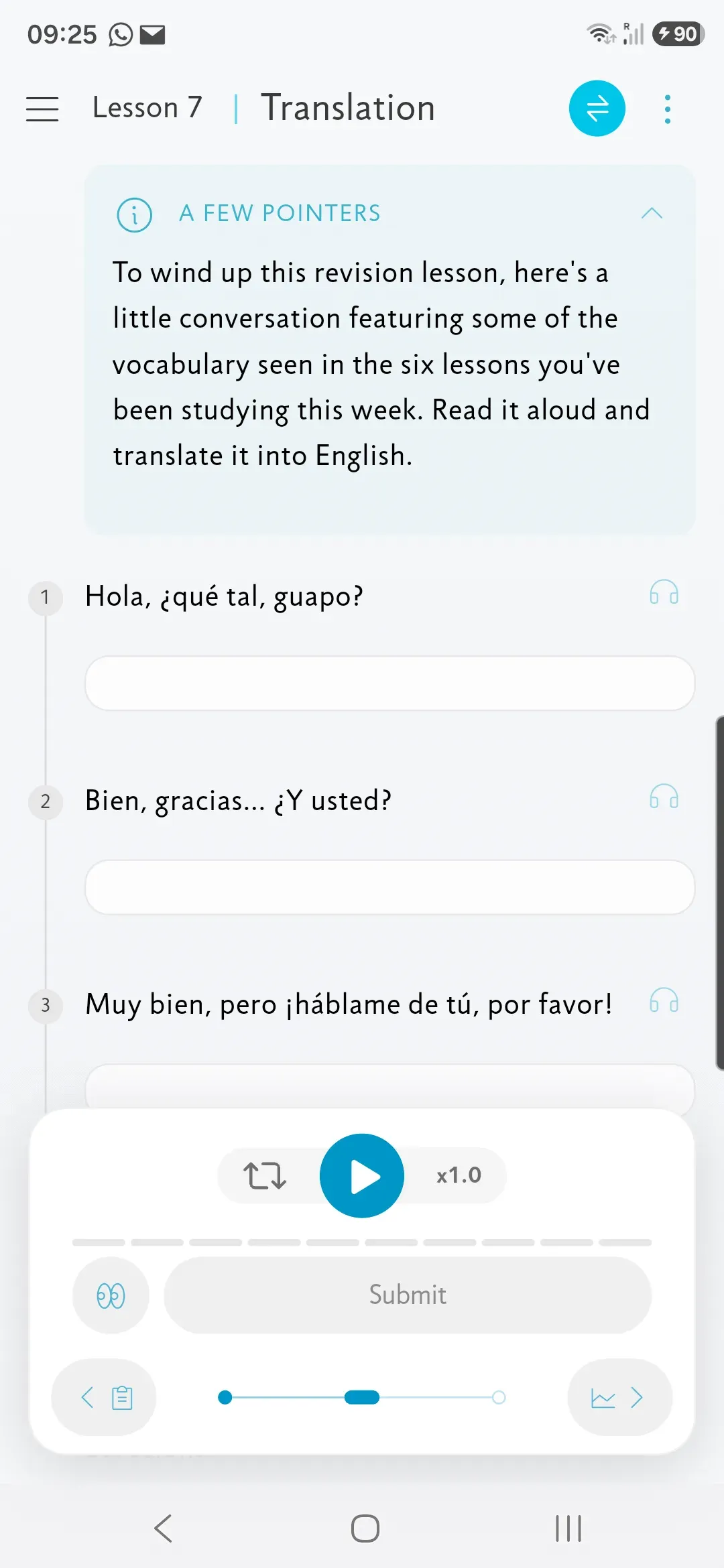
In revision lessons, you can now listen to the dialogue in the Translation exercise, all the way through or sentence by sentence.
You can listen to it again after finishing the exercise, without changing your answers.
Auto Listen, even with the screen locked
Auto Listen keeps playing even when the screen is locked. Pause, resume or change sentence directly from the lock screen.
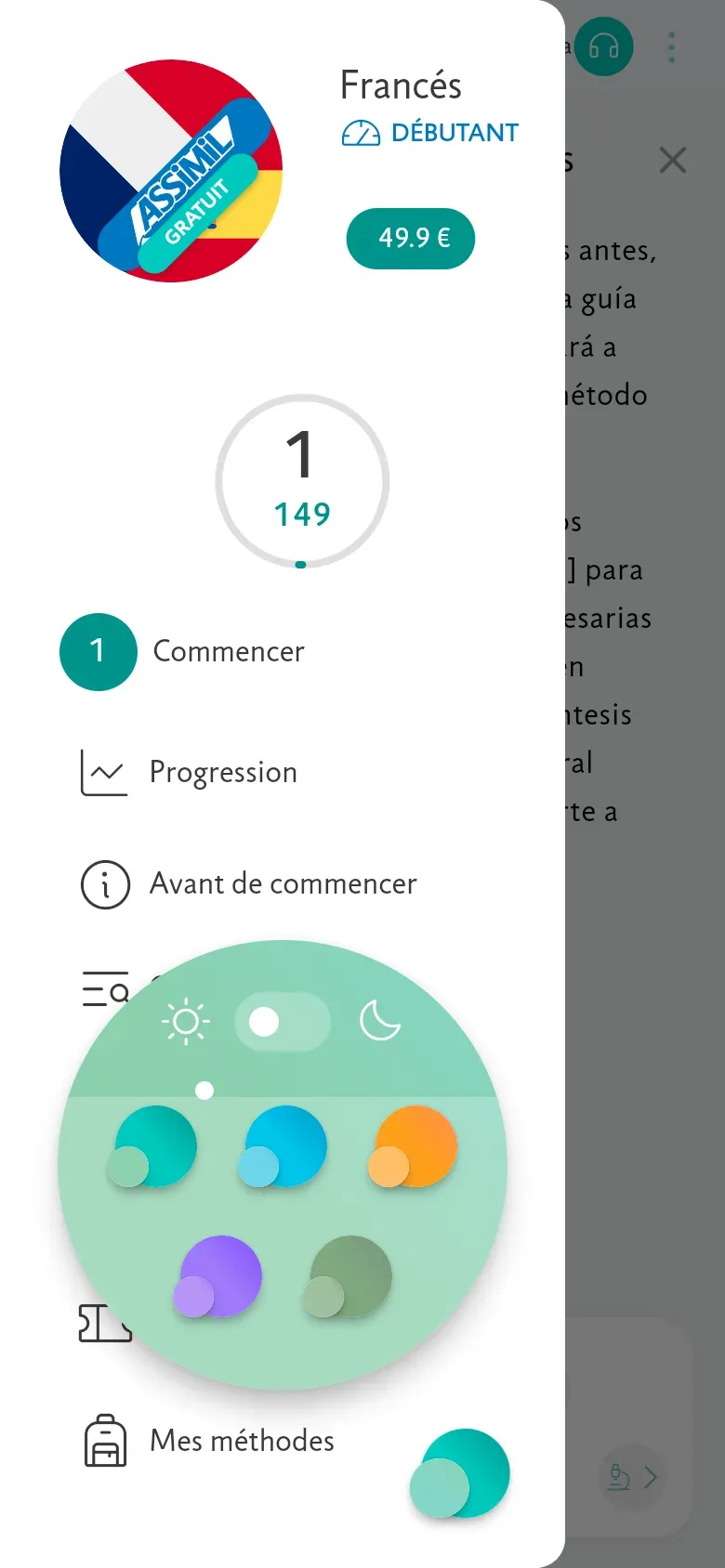
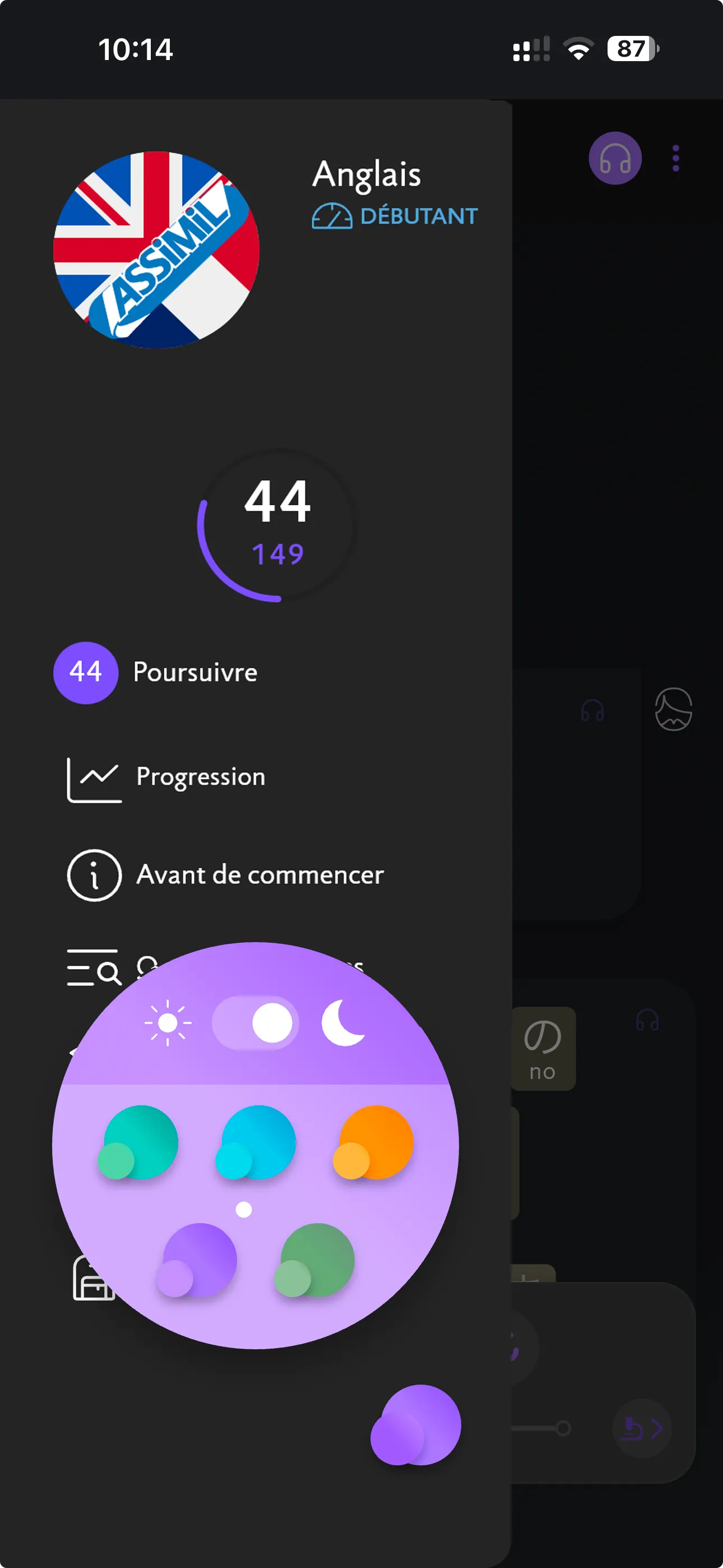
Automatic dark mode
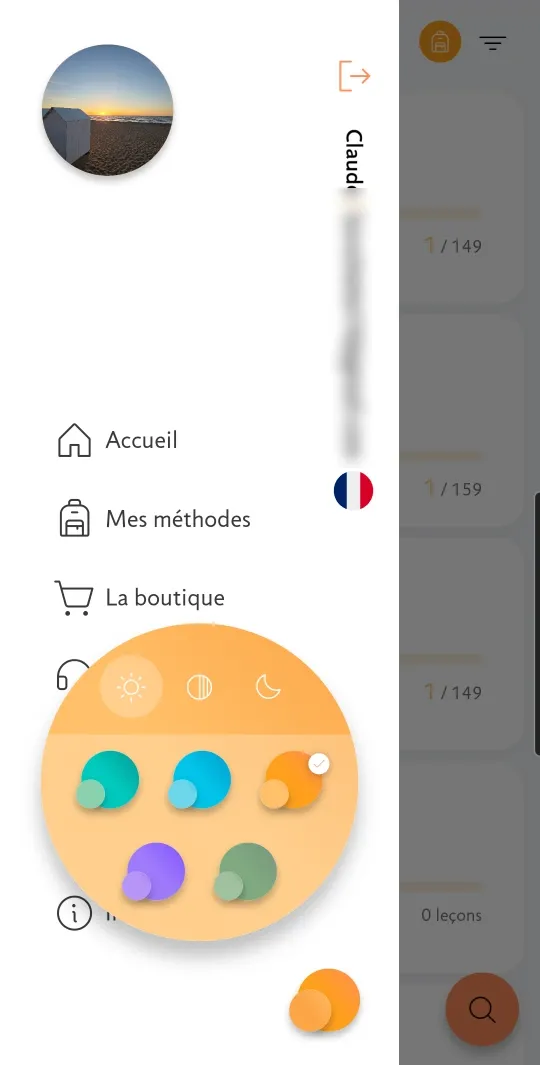
If your phone is in dark mode, the app is too. You can still choose Light or Dark in “Customize”.
Translations, pronunciation guides and word-for-word translations are easier to read, thanks to improved contrast in every theme.
Other improvements
- In lessons that provide pronunciation guides for selected words, those guides now appear below the sentence again.
- In the Complete exercise, corrections now preserve capitalization.
- In Korean, the syllables offered in the exercises are now shuffled.
- Fixed a typing issue with the Samsung keyboard.
- After you use “Redo”, your chosen difficulty level is kept when you reopen the course.
Versions 5.6.0–5.6.2 · September 2026
This update is all about the glossary. Tap any word to see every sentence in the course that uses it, with translations and notes. And you can now search without typing accents.
See every sentence that uses a word
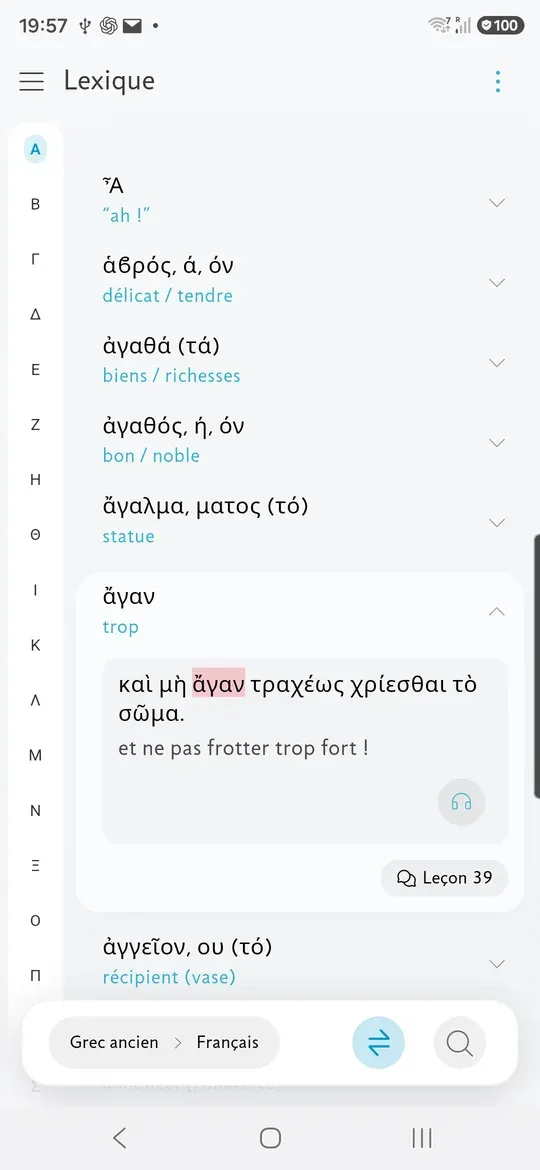
Tap a word in the glossary to see every sentence in the course that uses it, each with its translation. The word is highlighted, so you can spot it at a glance.
Tap a sentence to hear it. Notes relating to the word appear just below.
Want to see the sentence in context? Tap “Lesson 39”, then “← Glossary” to get back to the word. Your place in the course doesn’t change.
On a phone, slide your finger down the right edge of the screen to jump straight to any letter.
Search without the accents
No need to type accents any more: “nino” finds “niño”, and “πασχω” finds “πάσχω”.
Don’t have the right keyboard on your device? Tap the keyboard icon in the search bar to bring up the Assimil keyboard, the same one you use in the exercises.
Practise both ways
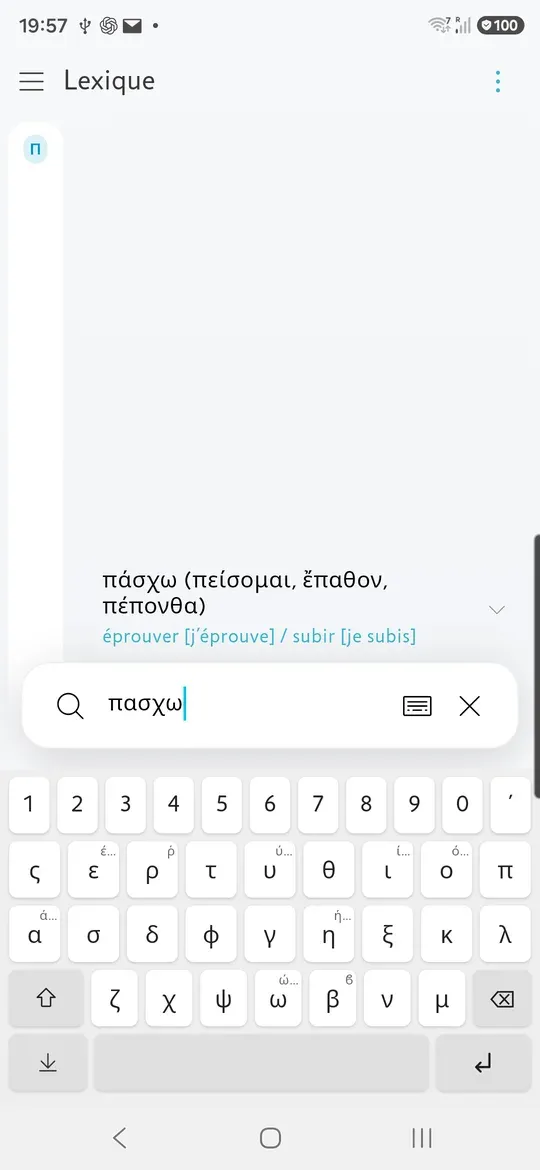
In Study, you can now hide the sentence in the language you’re learning and show only the translation.
Then try to recall the original, just like covering part of the page with your hand. Tap the sentence to check.
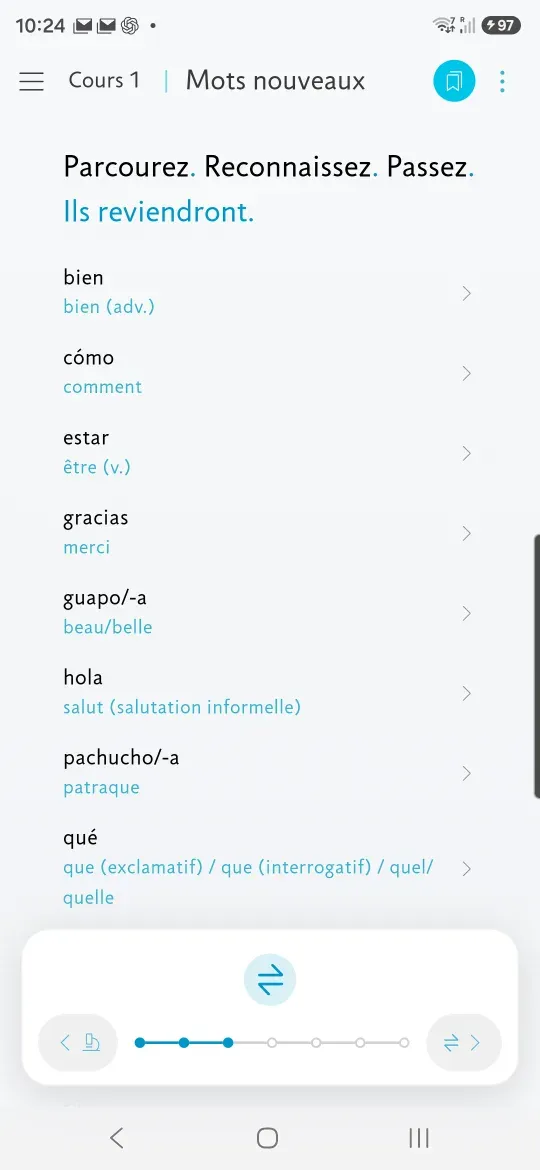
In New words, the words now follow the order of the lesson. Tap a word to hear it, use ⇄ to switch direction and the eye icon to hide the translation. The app remembers your choice.
Keep listening, even with the screen off
Auto Listen now moves on to the next lesson by itself, even when your phone is locked or in your pocket.
Your choice of lessons is kept between sessions. Picking lessons is simpler too, and you can add any lesson you’ve already opened.
This screen now works fully with VoiceOver and TalkBack.
Access accented letters easily
On the Assimil keyboard, press and hold a letter to see its accented variants.
A small marker shows which keys have variants. They scale with your text size and always stay on screen.
When the keyboard is open, the command bar now sits above it, so it’s always within reach.
Your progress at a glance
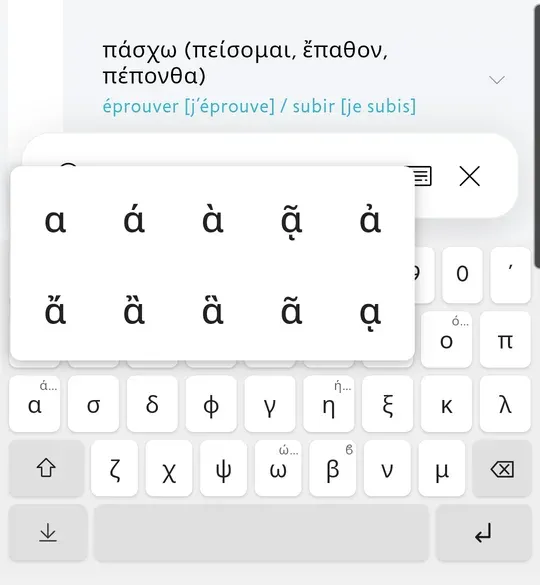
In the course menu, the Continue button now shows which lesson you’re on and how many there are in total, with a ring that fills up as you go.
On small screens, the top of the menu now scrolls with the rest of the page instead of covering it.
Easier navigation on bigger screens
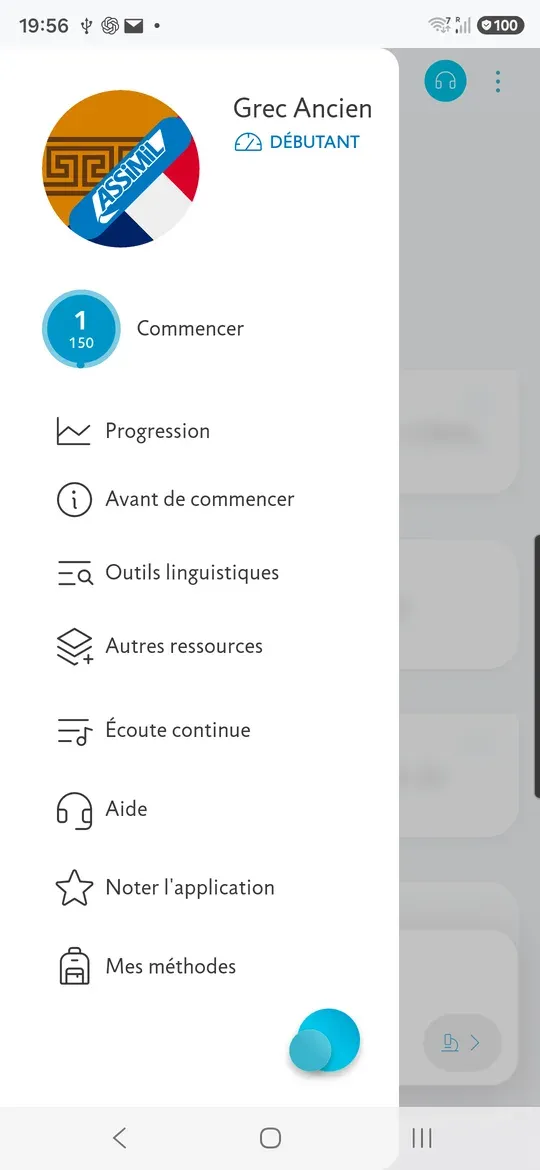
On tablets in landscape mode and on computers, lesson sections now appear in a navigation bar, each with its own icon.
You can see where you are at a glance and switch sections with a tap or a click.
The Submit button and your progress are grouped in the middle.
On a tablet, glossary search stays at the top of the list. On a computer, you can drag to resize the glossary list and the table of contents, and the app remembers the width.
Other improvements
- In New words, “See in the dialogue” shows the word in its sentence. Tap “← New words” or Back to return.
- The glossary’s letter index stays visible while you scroll.
- All twenty-four Ancient Greek letters are once again available in the glossary index.
- VoiceOver and TalkBack now read glossary abbreviations in full, for example “personal pronoun” rather than the abbreviation.
- Screen readers now read each sentence in one go, and announce its number only once.
- Words no longer break at the end of a line, especially in Cyrillic.
- The Latin grammar appendix now shows in full.
- Voice recording works reliably again, with no need to restart the app.
- The command bars come back on their own when you reach the bottom of a section.
- In Complete, the answer field is easier to see.
- Tap the sentence that’s playing to stop the audio.
- Your answers are saved correctly when you switch sections using the navigation bar.
- The title and controls update straight away when you switch sections.
- In dark mode, pinyin in Chinese lesson titles is visible again.
- With large text, three-digit lesson numbers are shown in full.
- We’ve fixed several stability issues with note references.
Version 5.5.1 · September 2026
Redo exercises while keeping your correct answers, so you can focus on mistakes. Auto Listen now also plays the Translation and Speak sections.
Redo an exercise without retyping all of it
“Redo” keeps your correct answers: if only one of your five answers is wrong, that is the only one you need to type again.
“Redo all”, just below it, clears every answer, as “Redo” did previously. The results screen shows your score in words, such as “4 answers out of 5”, with the correct grammar for your language.
Listen to exercise recordings
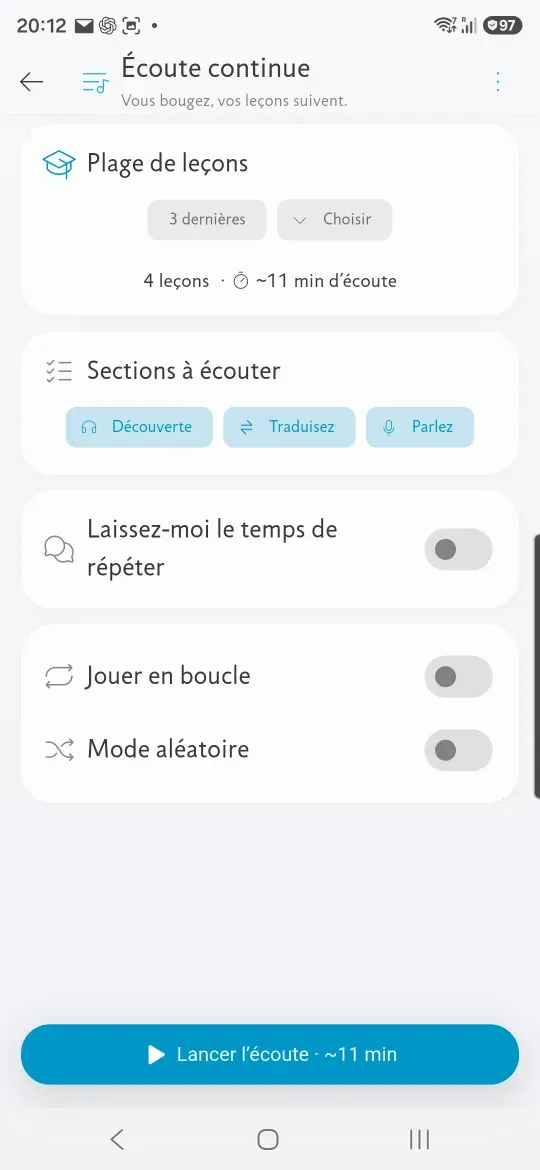
Before you start listening, you tick what you want to hear: Listen for the dialogue, Translation and Speak for the exercises.
Speak lets you revise an earlier lesson by listening to its recording. Each lesson number is also announced, including revision lessons, so you can keep track even when listening only to Translation.
VoiceOver and TalkBack read the whole sentence
Screen readers read each sentence without interruption: the original, followed by the translation and the word-for-word translation in brackets. Note markers no longer interrupt the reading.
Other improvements
- In the glossary, tap a letter in the index to go straight to the words beginning with it. The index works correctly again in 79 of the 247 glossaries.
- The Korean glossary index follows the initial consonant, as a dictionary does: 19 entries, down from 413.
- The answer key of a revision lesson stays hidden until you have answered.
- A study tip shows all of its paragraphs, not just the first.
- “Submit” no longer appears where there is nothing to submit.
- In Ancient and Modern Greek alike, mu and pi are the same size as the rest of the text.
Version 5.5.0 · September 2026
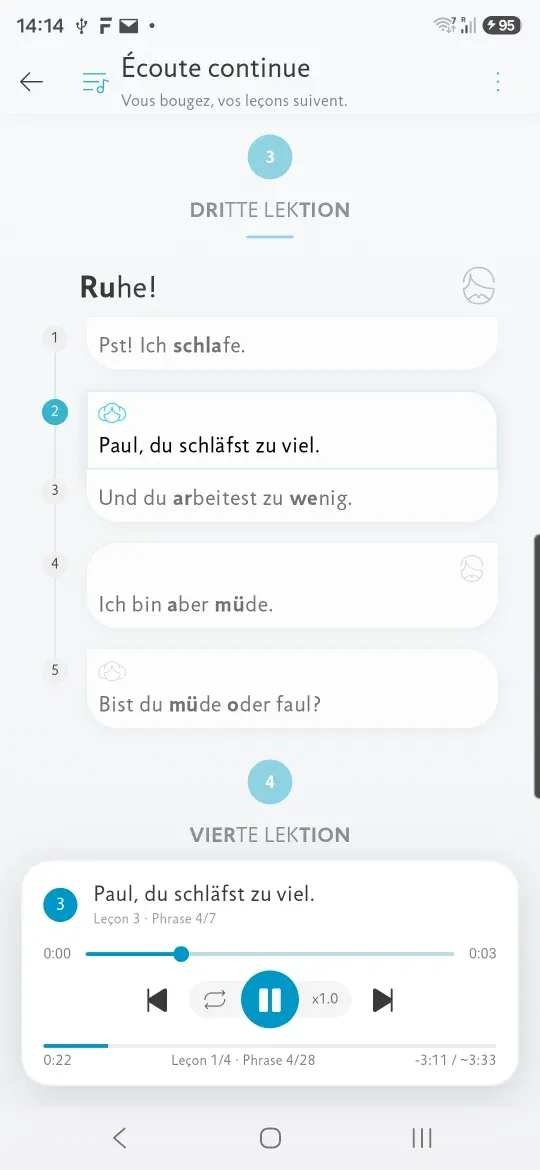
This update makes Auto Listen available to everyone: your lessons play one after another, hands-free.
Your lessons keep playing
Pick a range of lessons, press play, and let it run: they follow one another without you touching the screen.
Keep learning on the move or while you exercise. You can also set playback to loop.
At your own pace
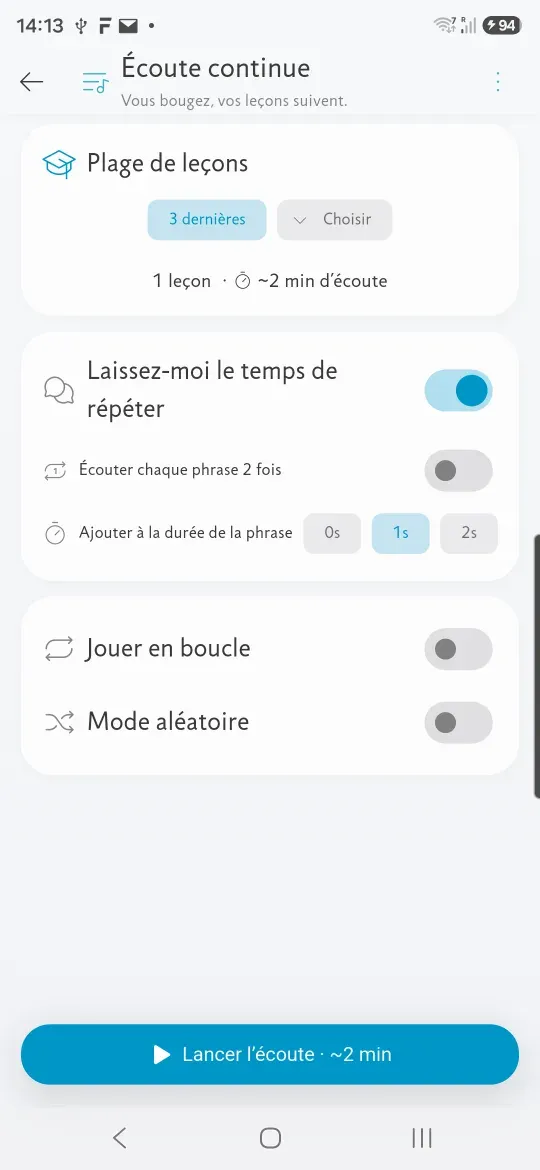
A pause after each sentence gives you time to repeat out loud, and lesson order can be shuffled.
Speed is adjustable while you listen, as it is inside a lesson. The controls stay within reach: resume, skip to the next sentence, go back.
Other improvements
- Fixed an issue that sometimes prevented lessons from opening.
- You can now hide the transcription where one is provided, including in Korean, Arabic, Japanese, Chinese and Hindi.
- Screen readers describe the app better: every control now has a name.
Versions 5.4.0–5.4.2 · August–September 2026
This update rethinks the way a lesson unfolds, to make it smoother, clearer and closer to the Assimil method.
Start by listening to the dialogue
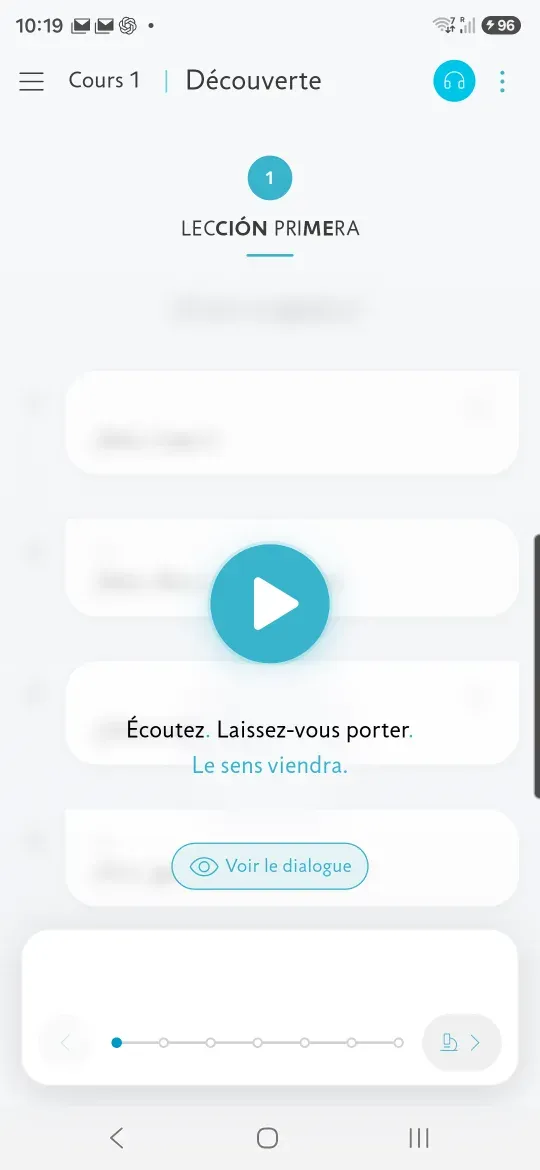
The first time you open a lesson, the dialogue reveals itself as you listen.
The lines are blurred at first, then become readable as you hear them and remain visible afterwards. This guides you through the dialogue gradually, starting with listening, in keeping with the Assimil method. If you prefer to read first, you can still choose “Show the dialogue”.
Notes exactly where they help
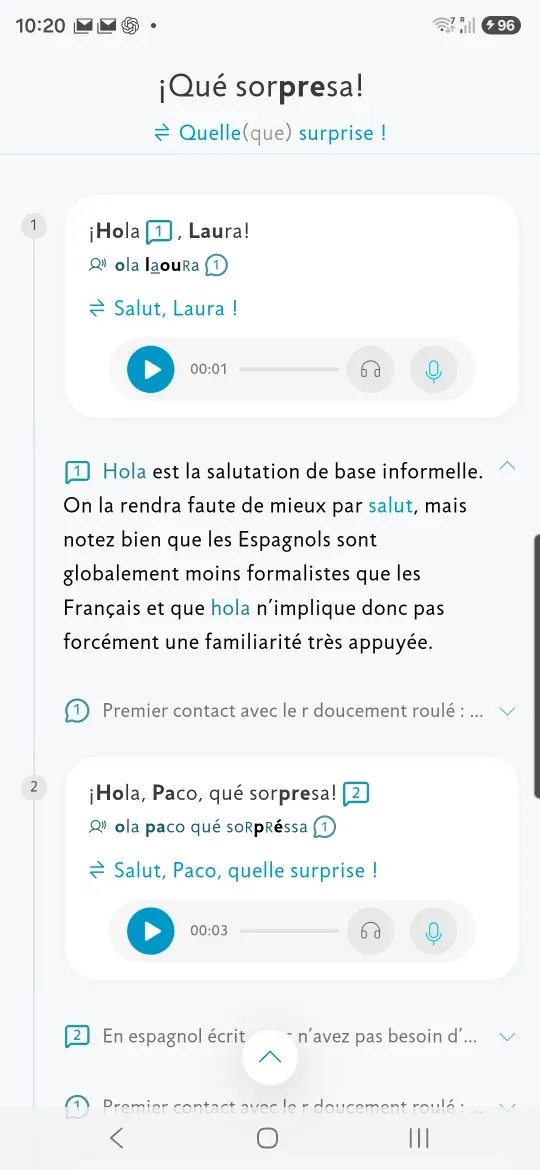
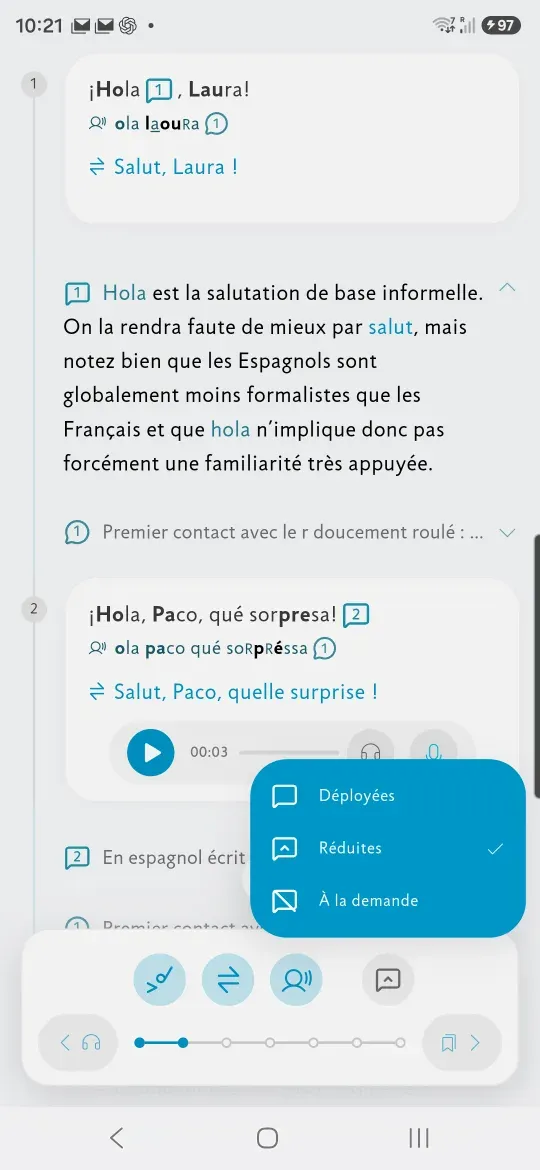
Notes appear under the sentence they explain: in full, collapsed to their first line, or only on request.
They no longer always open in a panel that covers the page, and the mode can be changed at any time from the lesson toolbar.
Move from one section to the next in a single gesture
When you reach the bottom of a section, keep scrolling to reveal the next one.
It shows you clearly where you are heading; let go to continue, scroll back to stay. The same gesture works the other way, from the top of a section, to return to the previous one. You move through the lesson without taking your eyes off the page.
Keep track of your exercises
A progress line shows the sentences you have finished and the ones still to do.
It stays accurate even when you answer out of order. The essential controls — check, show the answers and switch keyboards — stay at the bottom of the screen, always in the same place.
See vocabulary translations at a glance
In “New words”, each translation now appears alongside the word, without opening its entry.
You can browse the whole list and see what each word means at a glance. Tap a word to open its detailed entry in full-screen view.
A consistent layout throughout
The dialogue, the study section and the exercises have been rethought as a single whole.
Sentence numbers sit in the same column, the play buttons keep the same size and the same position, and the headings start at the same height. You move from one screen to the next naturally, without having to find your bearings again.
Other improvements
- Assimil’s study tips now appear at the start of each section, just when you need them.
- Assimil’s closing message for a lesson now appears at the end, on the self-assessment page, rather than in a window as you open it.
- The cultural note finds its natural place at the end of “Study”.
Version 5.3.5 · August 2026
More accurate exercise scores
Some exercises showed an incorrect score: “0/10” despite correct answers, or the same score regardless of your responses. Scores now reflect the answers you actually entered.
Exercises that have not yet been marked no longer show a zero. An unanswered sentence no longer receives the exercise’s overall score, and deleted translations are now correctly removed.
“Redo” clears all previous answers
Redoing an exercise now clears all of your answers, on screen and on your account alike: nothing reappears while you work through it again. And in courses whose exercise sentences carry no number, your answers no longer overwrite one another.
A note no longer hides the sentence it comments on
Tapping a note marker could open a panel that covered the sentence it explained. The page now moves just enough to keep that sentence visible. Panels also dim the lesson less, making it easier to read.
Creating an account after a guest purchase
After purchasing a course as a guest, trying to register with an email address already linked to an account could block the process. The app now directs you to sign in and adds your guest data to your account without overwriting existing data.
Other improvements
- The “My courses” list no longer freezes after opening a course and coming back.
- Exercise levels and screen-reader announcements follow the language of the course.
- Breton, Catalan and Corsican have their flags back.
- Changing colour palettes now keeps the colours consistent and no longer switches off System mode.
Version 5.3.4 · July 2026
Your answers no longer disappear
In some cases, marking a lesson as complete erased the answers you had typed into its exercises. This is fixed, and the app now refuses to overwrite an exercise that already holds your work.
Automatic recovery when your connection returns
If a course has not been downloaded and you are offline, the app explains the situation instead of repeatedly asking you to try again. The download resumes automatically when your connection returns, allowing the course to open. Temporary connection issues are no longer reported as missing content.
Other improvements
- Revision lessons no longer show an exercise they do not contain.
- Long labels are no longer cut off in the menu.
Version 5.3.3 · July 2026
More reliable progress synchronization
Your progress now syncs more reliably when you continue a course on a new device, even if the connection is slow at first launch. Progress that had not been synced is now recovered automatically.
More reliable purchases
We have fixed an issue that caused some purchases to fail without explanation. If a purchase fails, the app automatically tries again.
Other improvements
- Fixed brief freezes.
- Fixed a crash that could occur when pressing Tab on a computer.
- Much faster start without an internet connection.
- Lessons that have not been downloaded are clearly marked, with an option to return to the previous screen.
- The store now warns you when it is briefly unavailable.
Versions 5.3.1–5.3.2 · July 2026
Use the entire app with the keyboard
On computers, you can now use the entire app with the keyboard. A clear outline highlights the selected control, menus and windows close with a single key, and you can control lesson playback without using a mouse.
TabmoveEnteractivateEscclose←→previous or next sentenceSpaceplay or pauseLloop
A lighter app
The app is several megabytes smaller, so it downloads faster and takes up less space on your device. Your course content is unchanged; only files that were no longer needed have been removed.
A dependable start, even offline
The app now starts reliably offline and gives you access to your downloaded courses. If it cannot start, a clearer message explains the cause.
Other improvements
- Fixes to the built-in exercise keyboards.
Version 5.3.0 · July 2026
Improved accessibility
VoiceOverTalkBack
You can now use the app comfortably with a screen reader to buy courses, listen to lessons and complete exercises. Spoken announcements keep you informed of your results and progress.
And for everyone: larger buttons and stronger contrasts.
We will continue improving accessibility with your help. If you encounter an unclear label, a control that is difficult to use or another accessibility issue, let us know through the Help menu, under “Accessibility”. Every report helps us improve the app.
Match the theme to your device settings
A new “System” theme option automatically follows your device’s light or dark mode and updates as soon as it changes. Your current setting stays the same unless you choose to change it.
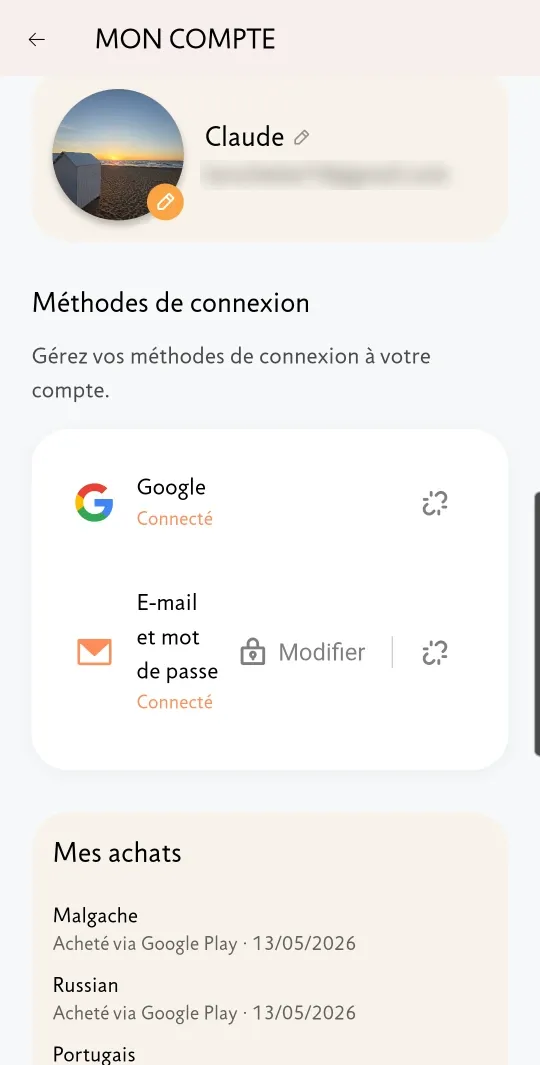
Know where each purchase came from
Each purchased course now shows where and when you bought it. The “My account” screen also lists all your purchases, making it easier to find the details you need for an invoice or refund request.
Other improvements
- Signing in, signing out and switching accounts are more reliable. Each library remains linked to the correct account.
- Fixed a possible freeze when opening lesson notes.
Version 5.2.0 · July 2026
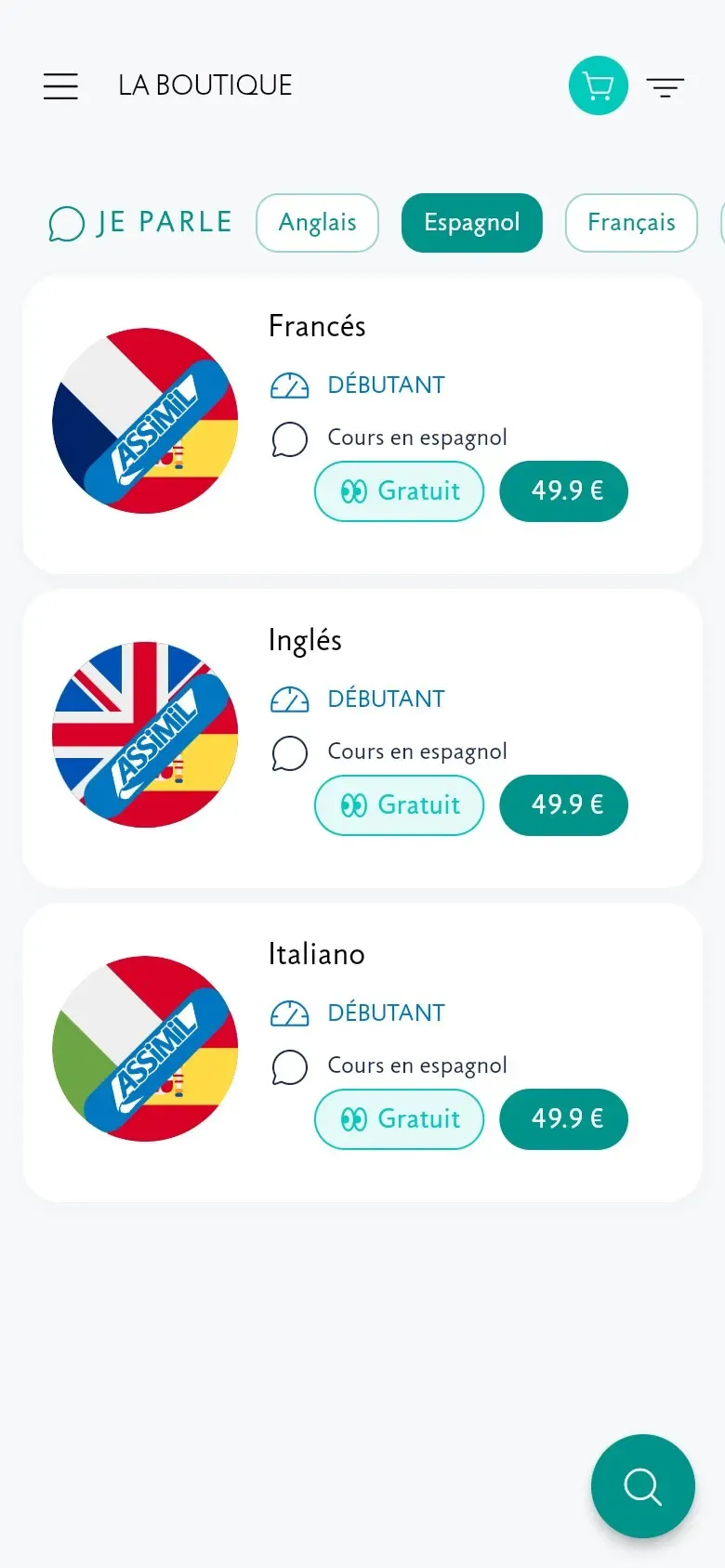
Find courses in your app’s language
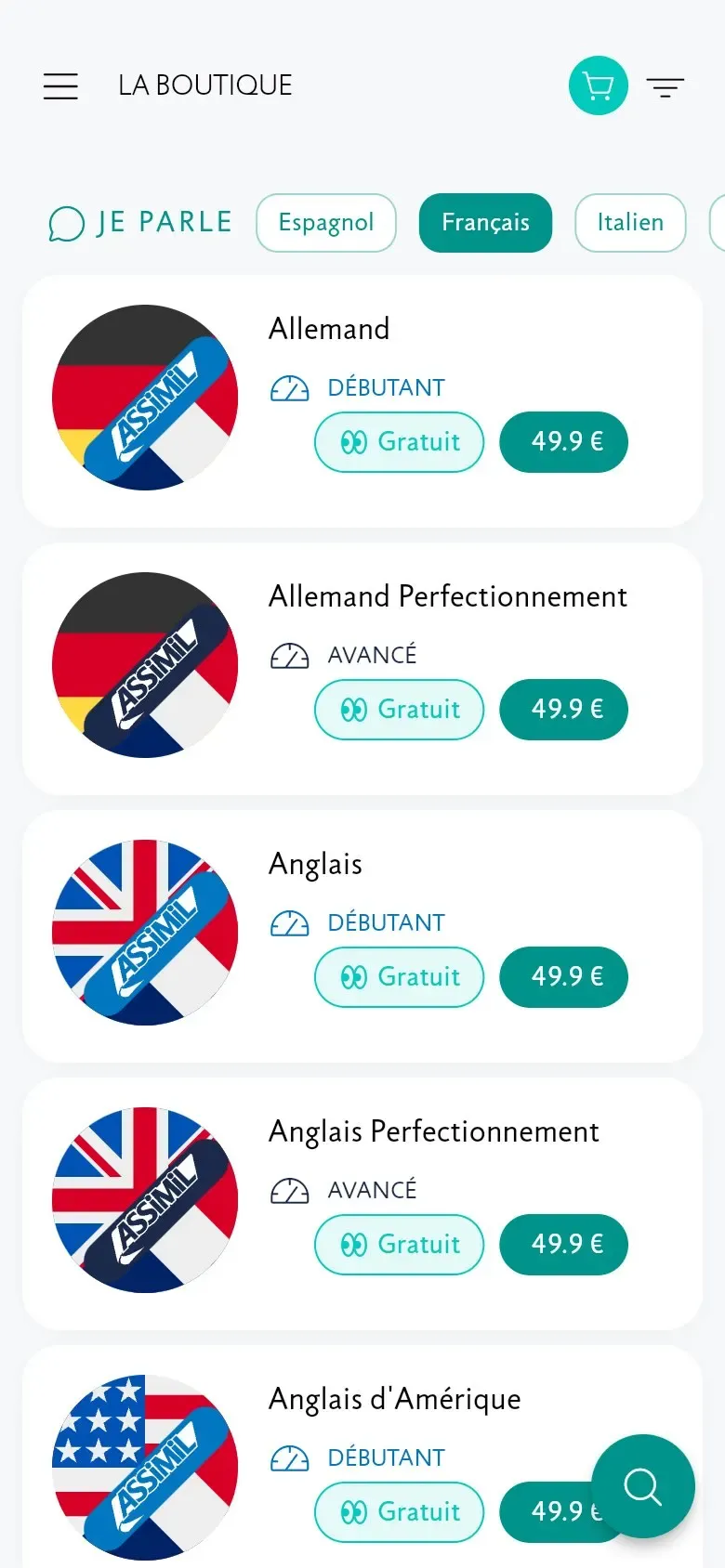
The store now opens with courses taught in the language of your app. The “I speak” filter at the top shows the selected language and lets you change it with a tap. When you browse other catalogues, each course clearly states its teaching language.
No more teaching-language mix-ups
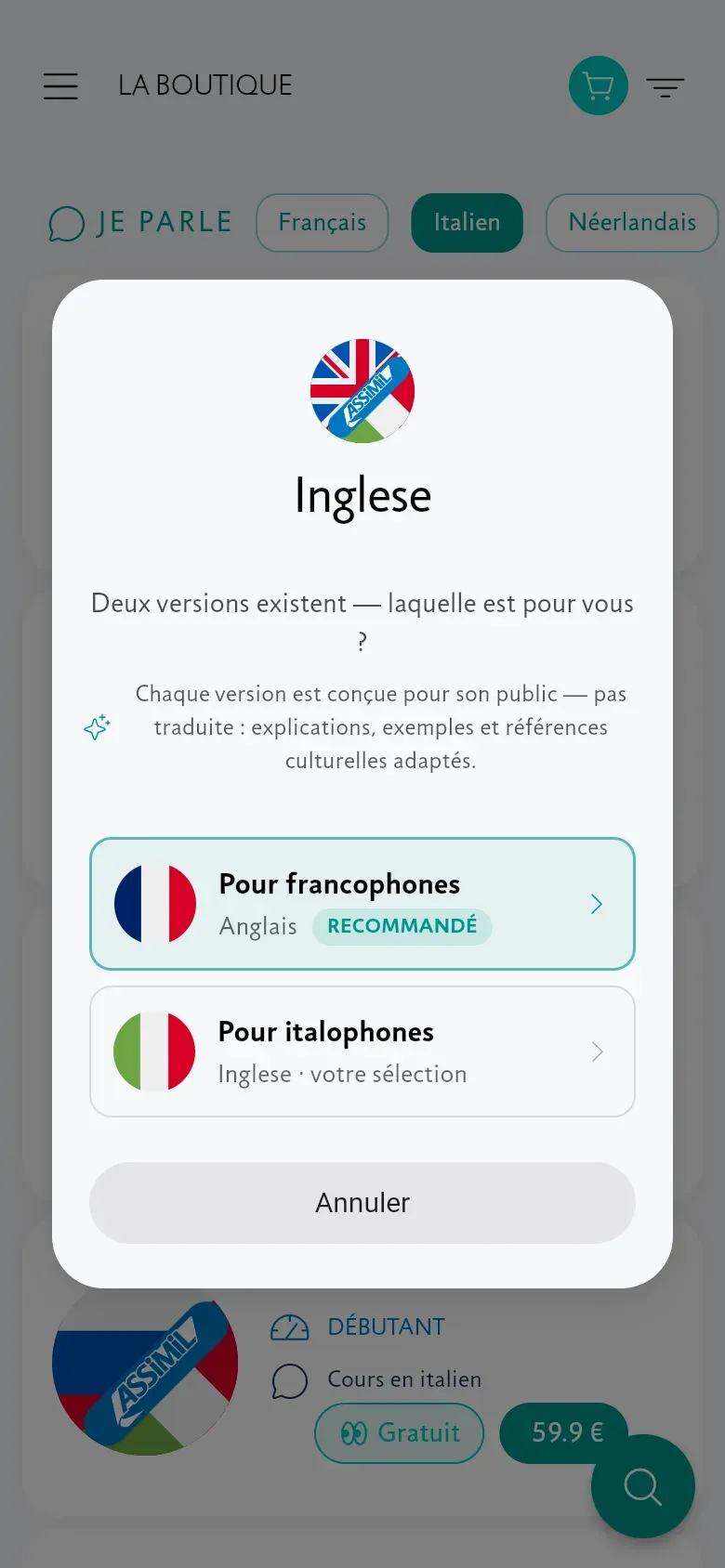
When you open, try or buy a course taught in a language other than your app’s, a selection screen presents two versions: the one you chose and the recommended version designed for speakers of your app’s language. Tap either version to continue. Each Assimil version is developed for its audience, with tailored explanations, examples and cultural references, rather than simply translated.
Activate your delivery code, step by step
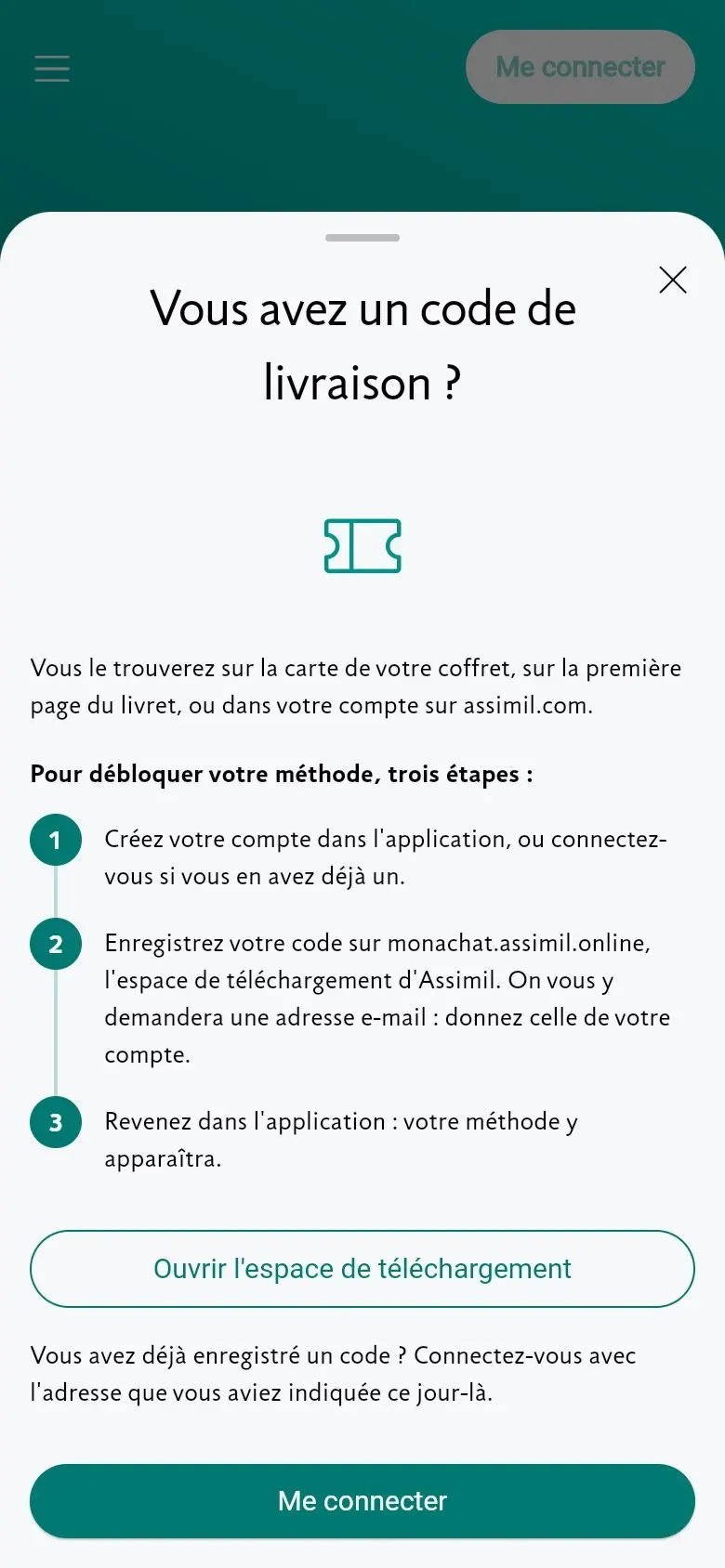
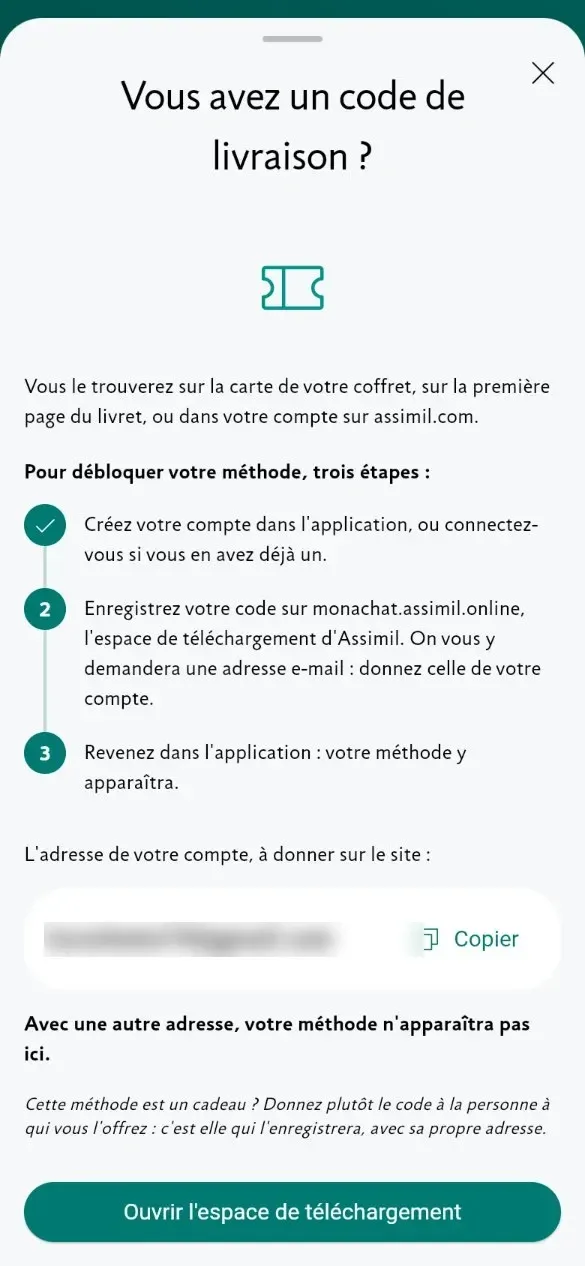
Bought an Assimil boxed set or received a delivery code by email? Starting from the home screen or menu, the app guides you through three steps to unlock your course. It also reminds you which email address to use, so the course appears in your library when you return.
Other improvements
- Better layout in landscape and on large screens.
- Accessibility improvements for screen readers.
- Many stability fixes across all platforms.
Version 5.1.4 · July 2026
Listen to “Les Plus” paragraph by paragraph
In the “Les Plus” sections, each recap paragraph now has its own play button — no need to restart the whole track to hear one passage again. This version also makes interface language switching and purchase restoration at startup more reliable.
Versions 5.1.1–5.1.3 · June–July 2026
Three updates for a more stable app
Following the redesign, three successive updates addressed the issues you reported:
- 5.1.3 (16 July) — “Continue” now reopens your current lesson correctly; corrections in the Complete exercise no longer overlap; recording stops when you move to another sentence.
- 5.1.2 (29 June) — better rendering of Greek text and stability fixes.
- 5.1.1 (24 June) — display fixes for the “Les Plus” sections, the glossary and the exercises.
Version 5.1.0 · May 2026
The new lesson interface becomes standard
The new lesson interface is now standard throughout the app, with refined typography, redesigned navigation and sentence-by-sentence mode in Study. It provides the foundation for future improvements.
It also includes improvements from earlier versions: built-in keyboards for non-Latin scripts in the Complete exercise, a long press to copy or share a sentence, and support for your device’s text-size settings.
Version 5.0.0 · February 2026
A new interface for lessons
This major release introduced a new lesson interface to make learning smoother and more immersive. Initially optional, it could be enabled from the app menu, with the option to return to the previous interface at any time.
- Smoother — responsive navigation and natural transitions.
- More accessible — better accessibility support.
- Designed for new features — support for improvements through ongoing updates.
- More customizable — dark mode and color themes.